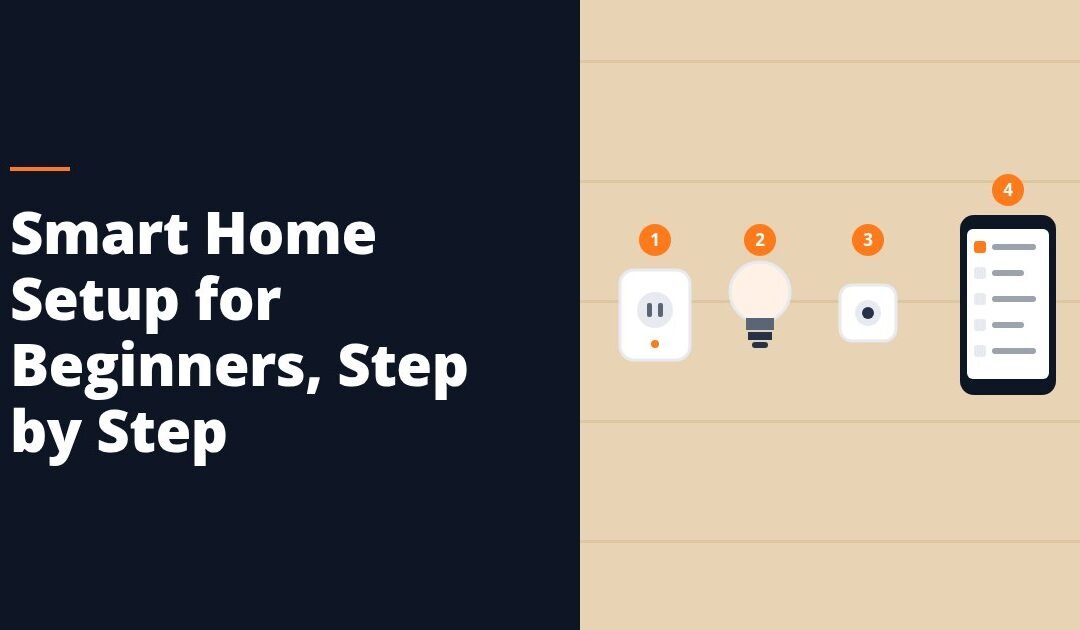
If you want to know how to set up a smart home for beginners without wasting money, the order matters more than the products. Fix your Wi-Fi coverage first, then add one smart plug, then lighting, then a camera or doorbell, then sensors, and leave locks and thermostats for last. Build one room at a time and get it working completely before you buy anything for the next room.
Most beginner frustration does not come from bad devices. It comes from buying six things at once, installing them across four apps, and then having no idea which one broke when a light stops responding at night.
Start With the Network, Not the Gadgets
Nearly every smart home device depends on your home Wi-Fi. If your signal already drops in the back bedroom, adding a camera there will not work, and you will blame the camera.
Three things to check before you buy anything:
- Coverage. Walk to every spot where you plan to put a device and check that your phone holds a usable signal there. Weak spots need a mesh system or an access point, not a different brand of sensor.
- The 2.4 GHz band. A large share of smart home devices only join 2.4 GHz networks, not 5 GHz. If your router hides both bands behind one name, you may need to split them temporarily during setup. Your router’s app or manual will tell you how.
- Router position. A router in a cabinet, behind a TV, or in a basement corner is working against you. Higher, central, and out in the open beats anything you can buy to compensate.
Spending on coverage first is the least exciting purchase you will make and the one that prevents the most problems.
How to Set Up a Smart Home for Beginners in Six Steps
Follow this order. Each step either teaches you something or removes a dependency the next step needs.
- Pick your voice assistant and stick to it. Before you buy a single device, decide which assistant ecosystem you want to live in, because it determines which devices will be easy to add later. You do not need a speaker to start, but you do need to know which badge to look for on the box.
- Add one smart plug. A plug is the cheapest way to learn the whole workflow: unbox, join Wi-Fi, name it, assign a room, add it to the assistant, build one schedule. Put it on a lamp or a coffee maker. If something goes wrong, you have risked very little.
- Do the lighting in one room. Lighting is where a smart home starts feeling different from a normal home. Smart bulbs are the easiest entry because they need no wiring. One room, three or four bulbs, one scene.
- Add a doorbell or one camera. This is the first device your household will actually notice. Pick the single spot that answers a real question for you: who is at the door, or what happens in the driveway.
- Add sensors. Contact sensors on doors, a motion sensor in a hallway, a leak sensor under a sink or near a water heater. Sensors are inexpensive, and they are what turn a collection of devices into automations that run without you.
- Finish with locks and thermostats. These touch your door hardware and your HVAC, so they are the ones worth doing last, once you trust your network and understand your app.
A thermostat swap often involves low-voltage wiring behind the wall plate, and a hardwired doorbell involves your existing transformer. Any work beyond a plug-in device or a bulb in a socket is work for a licensed electrician. Do not improvise behind a wall plate, and do not treat a wiring diagram you found online as permission.
What to Buy First, and What to Leave for Later
| Device | Install difficulty | Buy it | Why |
|---|---|---|---|
| Smart plug | Plug it in | First | Teaches the whole setup process cheaply |
| Smart bulb | Screw it in | First | Immediate, visible change, no wiring |
| Light strip | Peel and stick | Early | Good under cabinets and behind screens |
| Video doorbell | Varies | Early | Battery models are simple; wired models need an electrician |
| Contact or motion sensor | Stick it on | Early | Cheap, and it powers your first real automations |
| Leak sensor | Set it down | Early | Low cost for a problem that gets expensive fast |
| Indoor camera | Set it down | Mid | Decide on placement and storage before buying |
| Smart switch | In-wall wiring | Later | Licensed electrician work |
| Smart lock | Door hardware | Later | Measure your door and deadbolt before ordering |
| Smart thermostat | HVAC wiring | Later | Check HVAC compatibility and use an electrician |
| Hub | Plug it in | When needed | Add it when your device count or protocol mix calls for it |
Name Everything Properly on Day One
This is the step beginners skip and regret. The default name on a device is something like "Plug-4A7C," and once you own eight of those, voice control becomes guesswork.
Set three things for every device as you add it:
- A spoken name. Say it out loud first. "Kitchen Counter Lamp" works. "Living Room Light 2" does not, because nobody says that.
- A room. Rooms are what let you say "turn off the kitchen" and have it mean something. Assign the room in the device’s own app and in your assistant app.
- One job. A device that does one clear thing is easy to troubleshoot. A plug running a power strip with four unrelated things on it is not.
Then build your first automations small. A sunset-on schedule for your lamps, a "goodnight" routine that turns the downstairs off, and a notification when a door opens while you are out. Three working automations beat twenty half-configured ones.
Where Beginner Setups Go Wrong
One device per app. If every purchase comes from a different maker, you end up with a phone full of apps that do not talk to each other. Check the ecosystem badge on the box before you buy.
Buying the kit before measuring. Locks in particular need to match your door thickness, backset, and existing deadbolt. Cameras need to reach power or get recharged. Measure and plan the mount point first.
No plan for storage. Cameras record somewhere, and that somewhere is either a local card or a subscription. Decide which you want before you own three cameras.
Treating batteries as free. Battery sensors and cameras need a charge or a cell change on a schedule. Write the install date on the back of each one with a marker.
Ignoring what happens when the internet drops. Some functions keep working locally and some do not. Know which is which for anything that controls a door or your heat.
Common Questions About How to Set Up a Smart Home for Beginners
Do I need a hub? Not to start. A plug, a bulb, and a camera will all join your Wi-Fi directly. Hubs become worth it as your device count grows or when you want devices that use low-power protocols instead of Wi-Fi.
How many devices can my Wi-Fi handle? More than most people think, but every device is one more client on the network. If you are planning more than a dozen, a mesh system and a hub for the low-power devices is a more comfortable setup.
Can I rent and still do this? Yes. Plugs, bulbs, strips, battery cameras, sensors, and most battery doorbells leave no marks and come with you. Skip anything needing in-wall wiring.
What should the whole first room cost? Plan for a plug, a few bulbs, a sensor, and one camera or doorbell. That is a modest basket, and it covers everything you need to learn the system before you scale it.
Build the First Room, Then Scale
A smart home that works is built one room at a time, in order, with everything named properly. Get the network right, learn the workflow on a cheap device, and save the wiring jobs for a licensed professional and a later weekend.
When you are ready to pick your first devices, browse the Shop page to put together a single-room starter set.